
The Action sidebar in Cognidox is a pull-out context-sensitive menu. It provides numerous functions for managing documents. To access it, navigate to any document’s details page and click on the Action menu button.

Watch the video
Check out the short video, then read through the summary below.
Overview of Actions
The available actions in the sidebar depend on your role and permissions in Cognidox. Your role group determines which commands and categories you can access. Actions in the sidebar include:
-
Adding and Removing – Options to modify document content.
-
Reviewing and Approving – Tools for managing document workflow.
-
Editing and Title Changes – Rename or modify metadata.
-
Document Operations – Add to briefcase, check out for editing, and perform PDF actions.
-
Security and Historical Actions – Manage permissions and track document history.
-
External Publishing – Options for sharing documents outside the organization.
Administrator vs. User Access
Administrators have access to all actions, while regular users only see options relevant to their role.
Frequently Used Actions
The most commonly used actions are also available in the Shortcuts bar on the Document Details page, for quick access.
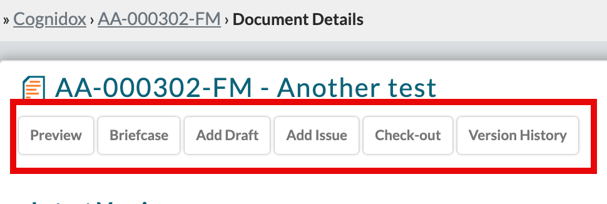
Understanding the action sidebar ensures efficient document management within Cognidox.